
Ever wanted to simply clip images from your screen?
Then PixClip is just the tool for you! It is free, and very easy to use. It runs in your systray and with a few clicks you can grab any clip and paste it where you want it or save it to a file. Just clip'n'paste!
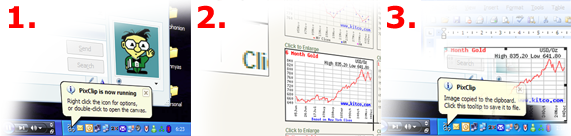
- Open PixClip,
- Select the region to clip,
- Paste it or save it to file.

Main features
- PixClip is free software;
- Simple to use;
- Very few clicks operation;
- Stores captured clips in the clipboard;
- Saves images to file;
- Clipboard monitoring (allows to save pictures from other programs);
- Configurable keyboard shortcut to open the canvas quickly;
- Multi-head (multiple monitors) support;
- Supports various file types (BMP, JPEG, GIF, PNG and TIFF are supported).
